Developer
- Home
- >
- Developer
Getting Started with API
Developer is where you create and manage the API keys used to send WhatsApp messages from your own systems.
Creating a key
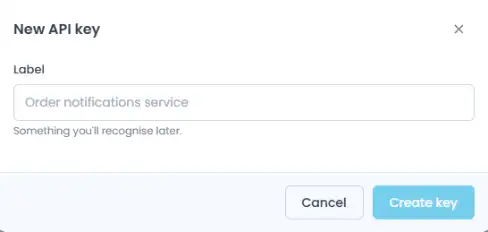
Click + New API Key to generate a new key.
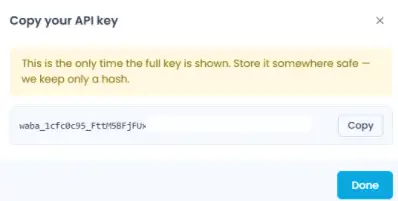
After you create it, your full key is shown once:
Click Copy to copy it to your clipboard, then Done once you’ve saved it somewhere safe. If you lose it, you can’t retrieve it again, you’ll need to revoke the key and create a new one.
Your API keys
The table lists every key created for your workspace:
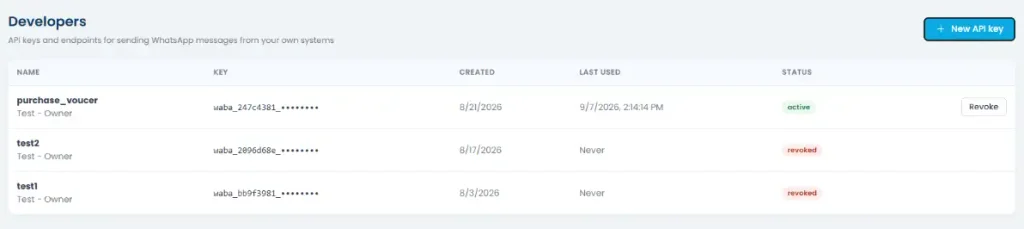
| Column | What it shows |
| Name | What you called the key when you created it |
| Key | The key value (partially hidden for security) |
| Created | When the key was generated |
| Last Used | The most recent time it was used to make a request |
| Status | Active or Revoked |
For any Active key, click Revoke at the end of the row to disable it. Once revoked, a key can’t be used again, you’ll need to generate a new one.
API documentation
Below the key table, you’ll find a link to the full API Docs, covering authentication, endpoints, rate limits, and everything else you need to integrate with the API.